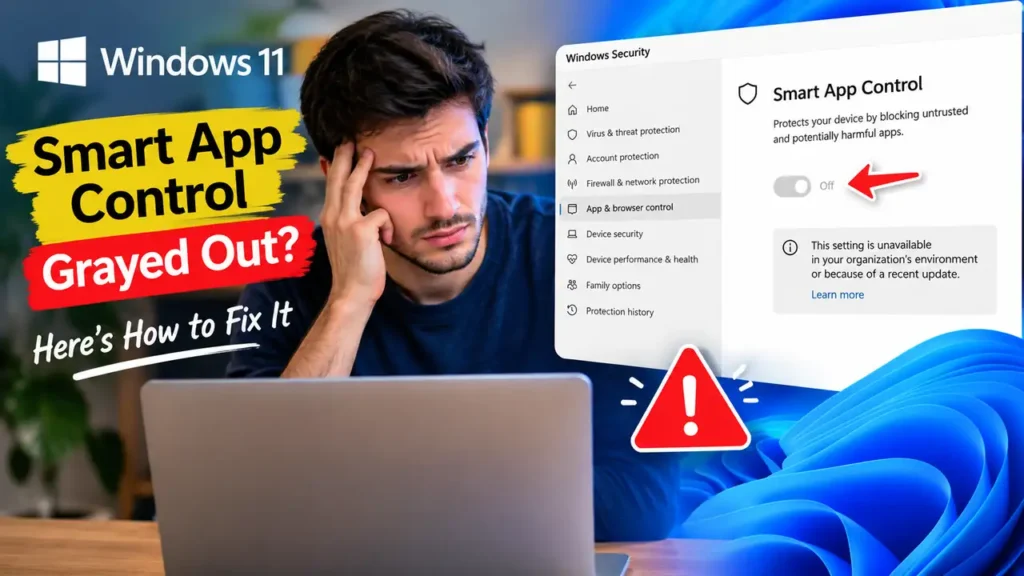

Windows 11 Smart App Control Grayed Out? Here’s How to Fix It
If Smart App Control is grayed out in Windows 11, you may be unable to turn this security feature back on in Windows Security. For some users, the problem appeared after installing the October 2026 update, KB5127648.
Microsoft has confirmed the issue and published a temporary workaround. If Smart App Control was already enabled, your PC is not affected by this specific bug. Below, you’ll learn how to check the update, restore the option, and troubleshoot the setting if it remains unavailable.
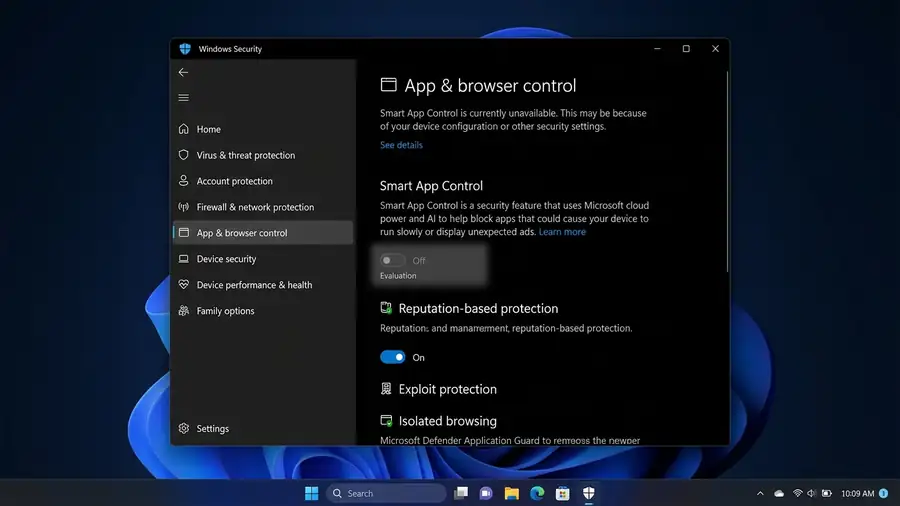
Why Is Smart App Control Grayed Out?
Smart App Control helps block potentially harmful or untrusted applications in Windows 11. According to Microsoft’s KB5127648 release notes, some devices may be unable to turn it on after installing the update if the feature was previously disabled.
The issue affects certain devices running Windows 11 versions 24H2, 25H2, and 26H2. Microsoft says devices where Smart App Control is already enabled remain protected against this particular issue. <Cite refs={[“turn944800search8”]}/>
Check Whether KB5127648 Is Installed
- Press Windows + I to open Settings.
- Select Windows Update.
- Open Update history.
- Look for KB5127648 in the installed updates.
If the update is listed and Smart App Control is grayed out, this known issue may be the cause.
How to Fix Smart App Control Grayed Out
Microsoft provides a temporary registry workaround to restore the ability to turn on Smart App Control.
Important: Editing the Windows Registry can cause system problems if done incorrectly. Back up the registry before proceeding. If you’re not comfortable with advanced Windows settings, consider waiting for Microsoft’s permanent fix.
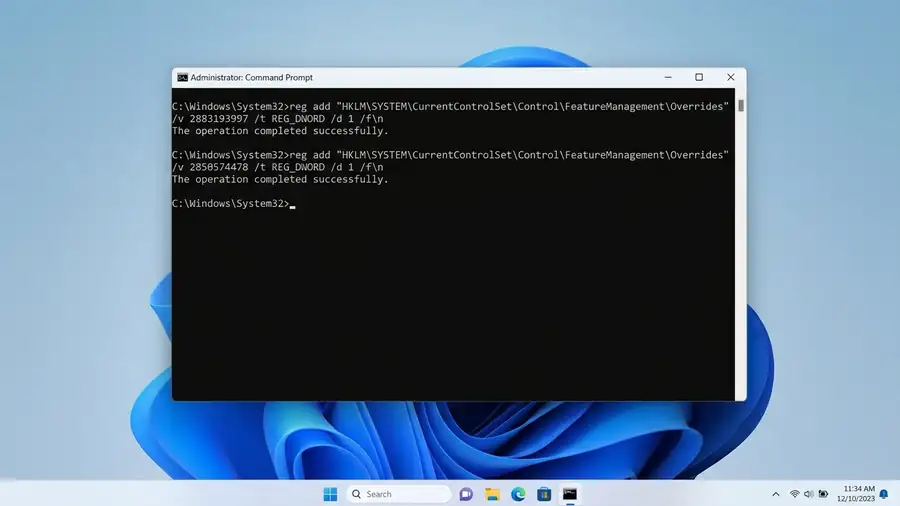
1. Open Command Prompt as Administrator
- Open Start and search for
cmd. - Right-click Command Prompt.
- Select Run as administrator.
2. Run Microsoft’s Registry Commands
Enter the first command and press Enter:
reg add "HKLM\SYSTEM\CurrentControlSet\Policies\Microsoft\FeatureManagement\Overrides" /v 2883193997 /t REG_DWORD /d 1 /f
Then enter the second command:
reg add "HKLM\SYSTEM\CurrentControlSet\Policies\Microsoft\FeatureManagement\Overrides" /v 2850574478 /t REG_DWORD /d 1 /f
After running both commands, restart your PC.
These commands are documented in Microsoft’s workaround for KB5127648. You can also consult the official Microsoft instructions before making changes. <Cite refs={[“turn944800search8”]}/>
3. Try Turning Smart App Control On Again
After restarting:
- Open Windows Security.
- Select App & browser control.
- Open Smart App Control settings.
- Check whether the option to turn it on is available.
If the option is available, follow the on-screen instructions. If it’s still grayed out, don’t keep changing registry values. Check Microsoft’s latest update notes for a revised workaround or permanent fix.
What If Smart App Control Is Still Unavailable?
The October update is not the only possible reason this setting may be unavailable. Your device configuration or organization-managed security policies may also affect access.
Try these checks:
- Work or school PC: Your organization may control the setting through security policies. Contact your IT administrator rather than modifying managed settings yourself.
- The feature remains unavailable: Read Microsoft’s Smart App Control FAQ for information about how the feature works and when it can be enabled.
- You need more details about Windows Security: See Microsoft’s App & browser control guide.
- You’re still affected after the workaround: Revisit the KB5127648 release notes. Microsoft says it’s working on a resolution.
The registry workaround is temporary, not a permanent fix. Avoid downloading unofficial registry files or running commands from unknown websites.
More Windows Troubleshooting Guides
Still having Windows problems? These Neceb guides may help:
- Windows 11 File Explorer Not Responding?
- Windows 11 Taskbar Not Responding?
- OneDrive Not Syncing? Here’s How to Fix It
Frequently Asked Questions
Why is Smart App Control grayed out after a Windows update?
Microsoft confirmed that update KB5127648 can prevent some users from turning Smart App Control back on if the feature was previously disabled.
Do I need to uninstall KB5127648?
Not as your first step. Microsoft documents a temporary registry workaround for affected devices. Check the official release notes before considering changes to a security update.
Is Smart App Control the same as Microsoft Defender?
No. Smart App Control is a Windows security feature that helps block untrusted or potentially harmful applications. It works alongside other Windows security protections.